
vue3使用keep-alive组件,包含动态组件使用
组件不使用keep-alive
- Father
<template>
<div>
Father
<el-button @click="tabChange">change page</el-button>
<Child :msg="cutTab" v-if="cutTab"></Child>
<Child2 :msg="cutTab" v-else></Child2>
</div>
</template>
<script setup lang="ts" name="Father">
const cutTab = ref(false);
const tabChange = () => {
cutTab.value = !cutTab.value;
}
</script>
- Child
<template>
<div class="c1">
Child +
{{ props.msg }}
<el-input v-model="input" placeholder="Please input" />
</div>
</template>
<script setup lang="ts" name="Child">
const props = defineProps({
msg: {
type: Boolean,
default: false,
},
})
const input = ref('')
</script>
- Child2
<template>
<div class="c2">
Child2 +
{{ props.msg }}
<el-input v-model="input" placeholder="Please input" />
</div>
</template>
<script setup lang="ts" name="Child2">
const props = defineProps({
msg: {
type: Boolean,
default: false,
},
})
const input = ref('')
</script>


组件中使用
-
include:包含 -
exclude:排除
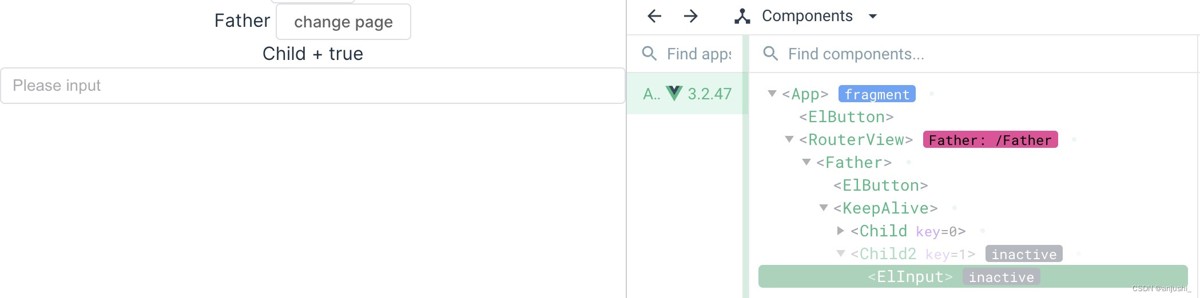
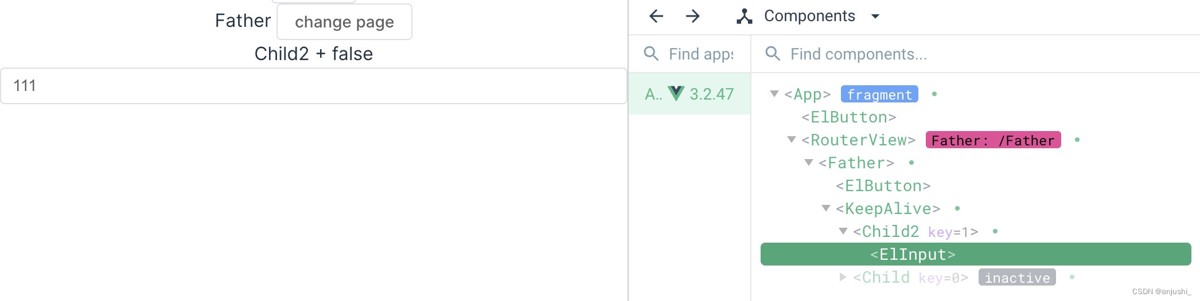
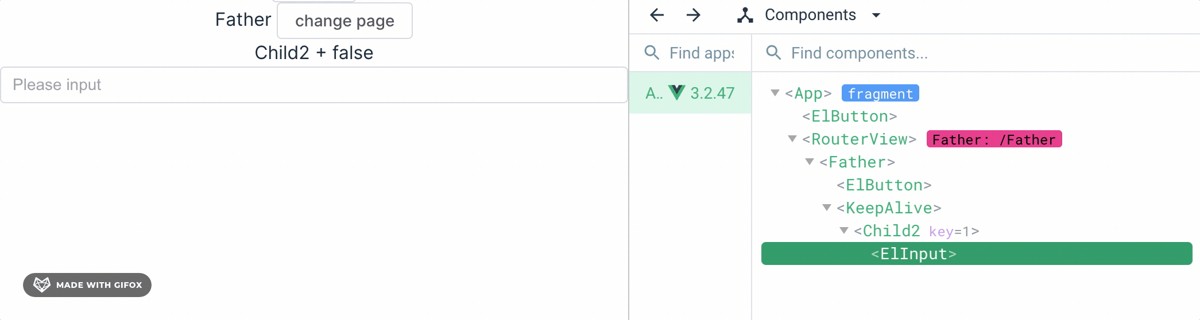
v-if切换
    <keep-alive>
<Child :msg="cutTab" v-if="cutTab"></Child>
<Child2 :msg="cutTab" v-else></Child2>
</keep-alive>
    <keep-alive include="Child2">
<Child :msg="cutTab" v-if="cutTab"></Child>
<Child2 :msg="cutTab" v-else></Child2>
</keep-alive>
component动态组件切换
<keep-alive> expects exactly one child component

    <keep-alive include="Child2">
<!-- <Child :msg="cutTab" v-if="cutTab"></Child>
<Child2 :msg="cutTab" v-else></Child2> -->
<component :is="com"></component>
</keep-alive>
keep-alive组件内不要使用注释,会被解析为子节点
- 添加div进行包裹
    <keep-alive include="Child2">
<div>
<!-- <Child :msg="cutTab" v-if="cutTab"></Child>
<Child2 :msg="cutTab" v-else></Child2> -->
<component :is="com"></component>s
</div>
</keep-alive>
- 移除注释
    <keep-alive include="Child2">
<component :is="com"></component>
</keep-alive>
动态组件的使用
[Vue warn]: Vue received a Component which was made a reactive object. This can lead to unnecessary performance overhead, and should be avoided by marking the component with 'markRaw' or using 'shallowRef' instead of 'ref'.

在 Vue 3 中,如果用 ref 或 reactive 将一个组件包装成响应式对象,可能会引发不必要的性能开销。因为这会使 Vue 尝试去追踪组件的变化,而实际上组件实例并不需要被追踪。组件本身不应该是响应式的,只有它的 props 和 state 才应该是响应式的。
所以,当需要引用一个组件时,应该使用 shallowRef或者 markRaw,这样可以避免将整个组件变成响应式的,只会跟踪引用的变化
- 使用markRaw
const com = ref(markRaw(Child2));
const comChange = () => {
if(com.value === Child2){
com.value = markRaw(Child);
}else{
com.value = markRaw(Child2);
}
}
- 使用shallowRef
const com = shallowRef(Child2);
const comChange = () => {
if(com.value === Child2){
com.value = Child;
}else{
com.value = Child2;
}
}
完整示例
<template>
<div>
Father
<el-button @click="comChange">change component</el-button>
<keep-alive include="Child2">
<component :is="com"></component>
</keep-alive>
</div>
</template>
<script setup lang="ts" name="Father">
import Child from "@/views/Child.vue";
import Child2 from "@/views/Child2.vue";
const cutTab = ref(false);
const com = ref(markRaw(Child2));
const comChange = () => {
if(com.value === Child2){
com.value = markRaw(Child);
}else{
com.value = markRaw(Child2);
}
}
</script>
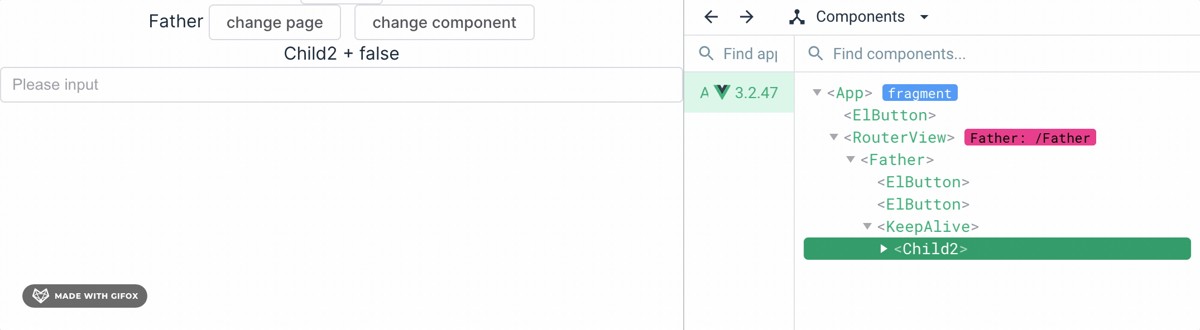
可以看到只有Child2组件是有缓存的,Child是有销毁和生成的
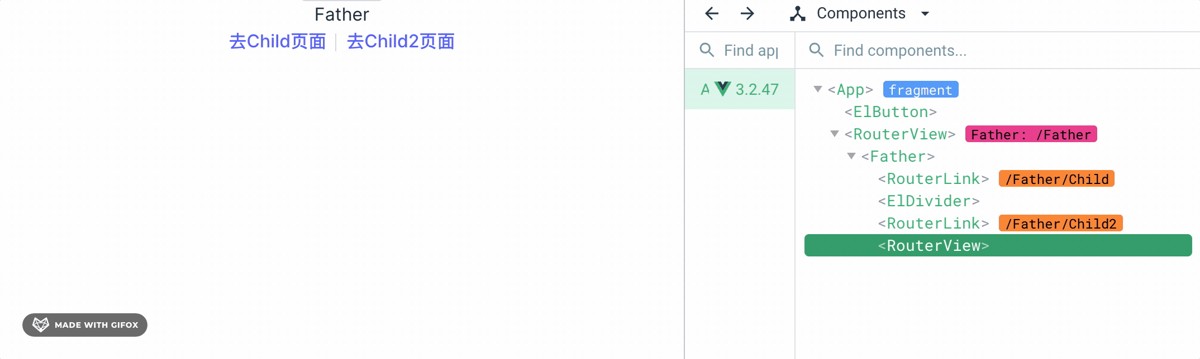
路由不使用keep-alive
- 组件
<template>
<div>
Father
<div class="nav">
<router-link to="/Father/Child">去Child页面</router-link>
<el-divider direction="vertical" />
<router-link to="/Father/Child2">去Child2页面</router-link>
</div>
<router-view></router-view>
</div>
</template>
- 路由index.ts
import { createRouter, createwebHashHistory, createWebHistory } from 'vue-router'
import Home from '@/views/Home.vue'
const routes = [
{
path: '/Father',
name: 'Father',
component: () => import('@/views/Father.vue'),
children: [
{
path: 'Child',
name: 'Child',
component: () => import('@/views/Child.vue'),
},
{
path: 'Child2',
name: 'Child2',
component: () => import('@/views/Child2.vue'),
}
],
},
]
const router = createRouter({
history: createWebHashHistory(),
routes
})
export default router
路由中使用
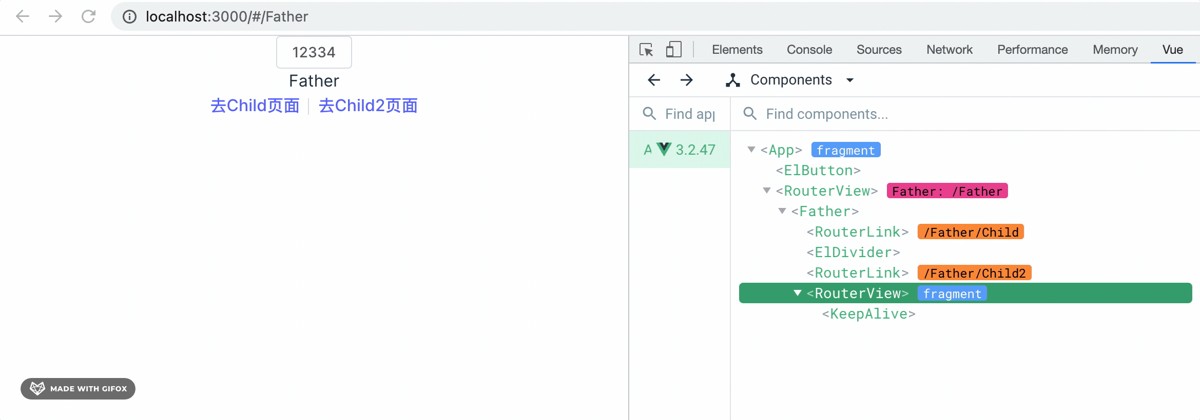
Vue Router 4(与 Vue 3 配套的路由库)引入了一个新的 API 来实现路由级别的 <keep-alive>。这就是 <router-view> 组件的 v-slot API
- 需要注意的是
v-if不要加在keep-alive上,会直接销毁keep-alive,需要加在component上 - 实现页面部分刷新,页面进入时执行的生命周期为:
created->mounted->activated
<template>
<div>
Father
<div class="nav">
<router-link to="/Father/Child">去Child页面</router-link>
<el-divider direction="vertical" />
<router-link to="/Father/Child2">去Child2页面</router-link>
</div>
<router-view v-slot="{ Component }">
<keep-alive >
<component :is="Component" v-if="$route.meta.keepAlive"/>
</keep-alive>
<component :is="Component" v-if="!$route.meta.keepAlive"/>
</router-view>
</div>
</template>
路由index.ts
在对应的路由上添加meta属性来设置页面是否要使用缓存
...
const routes = [
{
path: '/Father',
name: 'Father',
component: () => import('@/views/Father.vue'),
children: [
{
path: 'Child',
name: 'Child',
component: () => import('@/views/Child.vue'),
},
{
path: 'Child2',
name: 'Child2',
meta: {
keepAlive: true,  // 需要被keep-alive
},
component: () => import('@/views/Child2.vue'),
}
],
},
]
...
keep-alive生命周期
有keep-alive组件会多出两个生命周期,分别在mounted之后和unMounted之前
onActivated(() => {
console.log('Component is activated')
})
onDeactivated(() => {
console.log('Component is deactivated')
})


总结
以上为个人经验,希望能给大家一个参考,也希望大家多多支持本站。

评论(0)